
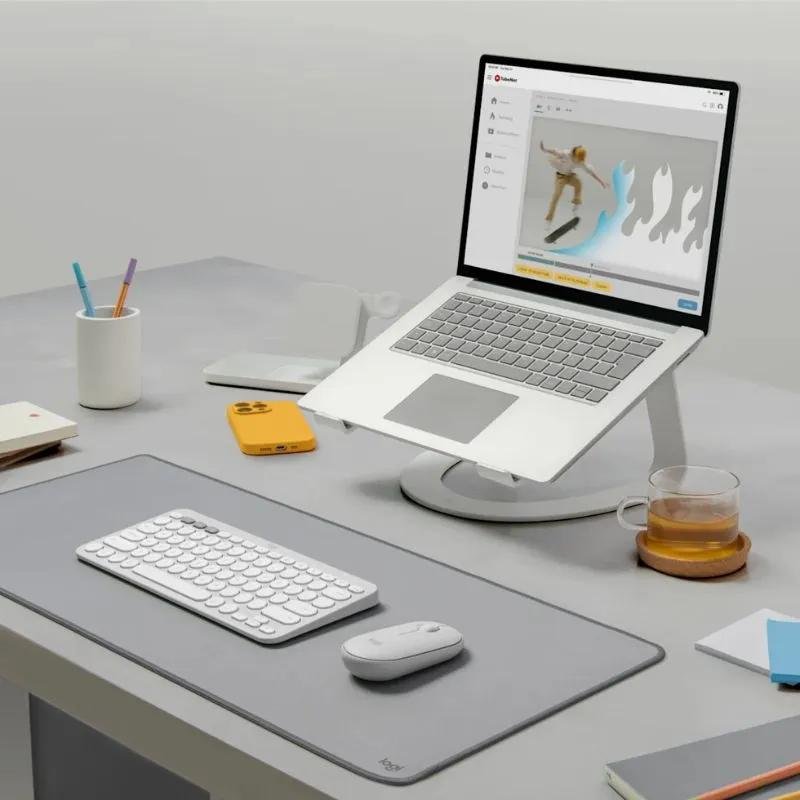
Essential Laptop Accessories for Students and Professionals. 3
A laptop is an important tool for studying, working, creating content, and staying connected. However, the right accessories can make your laptop setup more comfortable, organized, and convenient.
Whether you are a student attending online classes, a professional working from home, or someone who travels frequently with a laptop, choosing useful accessories can improve your everyday experience.
At OfferBuzzo, we help shoppers understand product features and make informed purchasing decisions. In this guide, we explore seven useful laptop accessories, what they do, and what to consider before buying them.
1. Laptop Stand
A laptop stand raises your screen to a more comfortable viewing height and can help you organize your workspace.
Using a separate keyboard and mouse with a raised laptop can make it easier to position your screen and hands independently.
What to look for
-
Adjustable height and viewing angle.
-
Stable construction that supports your laptop securely.
-
Compatibility with your laptop’s size and weight.
-
Foldable design if you travel frequently.
-
Sufficient space for ventilation.
Laptop stands come in different materials, including aluminum, plastic, and steel. Choose one that offers suitable stability without making your setup unnecessarily bulky.
Best for: Students, remote workers, office professionals, and people who spend long periods working at a desk.
2. Wireless Mouse
A mouse can make navigation, document editing, browsing, and design work more convenient than relying entirely on a laptop touchpad.
Wireless mice connect through Bluetooth or a USB receiver, depending on the model.
What to look for
-
Comfortable shape and size.
-
Reliable wireless connectivity.
-
Suitable battery life or rechargeable design.
-
Adjustable sensitivity if needed.
-
Compatibility with your operating system.
-
Quiet clicks if you work in shared spaces.
If you frequently travel, a compact mouse may be convenient. For long working sessions, prioritize comfort over appearance alone.
Best for: Office work, students, designers, and everyday laptop users.
3. External Keyboard
An external keyboard can provide a more comfortable typing experience, particularly when your laptop is placed on a stand or connected to an external monitor.
Different keyboard designs suit different preferences and work environments.
Keyboard types to consider
Membrane keyboards: Often provide a straightforward typing experience and can be suitable for everyday tasks.
Mechanical keyboards: Offer different switch types and tactile feedback, making them popular with some writers, programmers, and gamers.
Compact keyboards: Save desk space and may be easier to carry.
Ergonomic keyboards: Use specialized layouts intended to support different typing positions.
What to check before buying
-
Keyboard layout and key spacing.
-
Wired or wireless connectivity.
-
Compatibility with your operating system.
-
Battery or charging requirements.
-
Dedicated function keys, if you need them.
-
Available desk space.
Best for: Writers, programmers, students, and professionals who type regularly.
4. Laptop Sleeve or Backpack
A laptop sleeve or backpack helps protect your device while travelling between home, college, the office, and other locations.
A sleeve is useful for carrying a laptop inside another bag, while a dedicated laptop backpack may provide more storage and organization.
What to look for
-
Correct size for your laptop.
-
Padded compartments.
-
Durable stitching and zippers.
-
Water-resistant materials where appropriate.
-
Additional pockets for chargers and accessories.
-
Comfortable straps if choosing a backpack.
A water-resistant bag does not necessarily make your laptop waterproof. Avoid exposing your device to heavy rain or liquids.
Best for: Students, commuters, business travellers, and anyone who carries a laptop regularly.
5. USB-C Hub or Docking Station
Modern laptops may have a limited number of ports. A USB-C hub or docking station can help connect additional accessories.
Depending on the model, it may provide USB ports, HDMI output, Ethernet, memory card readers, or additional USB-C connections.
What to check
-
Whether your laptop supports the required USB-C functions.
-
The number and type of ports.
-
External display resolution and refresh-rate support.
-
Power delivery compatibility.
-
Data-transfer speeds.
-
Operating system compatibility.
Not every USB-C port supports video output or every docking feature. Check your laptop specifications before purchasing a hub.
Best for: Professionals using multiple peripherals, students connecting external displays, and users who need more connectivity options.
6. External Monitor
An external monitor can provide more screen space for multitasking, spreadsheets, coding, research, video editing, and online meetings.
The right monitor depends on your workspace, laptop capabilities, and intended tasks.
Features worth comparing
-
Screen size and resolution.
-
Display quality and brightness.
-
Refresh rate for your intended use.
-
Available connectivity options.
-
Height adjustment and ergonomic stand.
-
Compatibility with your laptop’s graphics and video outputs.
A larger monitor is not automatically better for every desk. Consider your viewing distance and available space.
If you plan to connect multiple displays, verify that your laptop supports the required number of external monitors.
Best for: Programmers, designers, office professionals, students, and people who regularly multitask.
7. Laptop Cooling Pad
A cooling pad uses fans and an elevated platform to provide additional airflow around a laptop.
It may help in certain situations, particularly when a laptop’s ventilation is obstructed or when performing demanding tasks for extended periods.
However, cooling pads do not guarantee lower temperatures or improved performance for every laptop.
What to look for
-
Compatibility with your laptop’s dimensions.
-
Fan placement and airflow design.
-
Noise levels.
-
Adjustable height.
-
USB power requirements.
-
Stability and build quality.
Keep your laptop’s ventilation openings clear and follow the manufacturer’s recommendations for use.
Best for: Some gaming laptops, users running demanding applications, and people who need an elevated laptop platform with additional airflow.
How to Choose the Right Laptop Accessories
You do not need to buy all seven accessories at once. Start with the items that solve your biggest everyday problems.
| Your main need | Accessories to consider |
|---|---|
| Comfortable desk setup | Laptop stand and external keyboard |
| Easier navigation | Wireless mouse |
| Safe transportation | Laptop sleeve or backpack |
| More ports | USB-C hub or docking station |
| Multitasking | External monitor |
| Additional airflow | Laptop cooling pad, if suitable |
For students, a mouse, laptop sleeve, and stand may be a practical starting point. For office professionals, a stand, external keyboard, mouse, and monitor can help create a more organized workspace.
Choose accessories based on your actual usage rather than buying every available product.
Laptop Accessories Buying Checklist
Before placing an order, use this checklist.
Compatibility
-
The accessory supports my laptop model.
-
Required ports and connections are available.
-
The operating system supports the accessory.
-
Size and dimensions are suitable.
Quality and usability
-
The product is comfortable to use.
-
Materials and construction meet my needs.
-
The accessory fits my workspace or travel routine.
-
Power and battery requirements are clear.
Purchase and support
-
I compared options from reputable retailers.
-
The final price and delivery charges are clear.
-
Warranty and return conditions are acceptable.
-
The product includes the accessories I require.
Frequently Asked Questions
1. Which laptop accessories should I buy first?
Start with accessories that address your immediate needs. A mouse may improve navigation, a sleeve can help with transportation, and a stand can help organize a desk setup. Your priorities depend on how you use your laptop.
2. Is a laptop stand necessary?
A stand is optional, but it can raise the screen to a more comfortable viewing height. Pairing it with an external keyboard and mouse allows more flexibility in positioning your equipment.
3. Do all USB-C hubs work with every laptop?
No. USB-C describes a connector type, but supported functions can vary. Check whether your laptop supports the required data transfer, video output, and power delivery features.
4. Should I buy a wireless or wired mouse?
Both can work well. Wireless mice reduce cable clutter and are convenient for travel. Wired mice do not require battery charging and may be suitable for users who prefer a direct connection.
5. Does a cooling pad improve laptop performance?
It depends on the laptop and its thermal design. A cooling pad may help in certain situations, but results vary. Keep ventilation openings clear and check independent reviews before buying one.
6. What should I consider when choosing a laptop backpack?
Check the laptop compartment size, padding, material durability, zipper quality, carrying comfort, and available storage. Choose a bag that fits your laptop securely without excessive movement.
7. Is an external monitor useful for students?
It can be useful for research, writing, online classes, and multitasking. However, it is not essential for every student. Consider your available desk space, laptop compatibility, and budget.
8. How can I choose affordable laptop accessories?
Identify your essential requirements, compare specifications, read independent reviews, and verify warranty conditions. Avoid paying extra for features that do not provide practical value for your everyday tasks.
Conclusion
The right laptop accessories can help create a more comfortable, convenient, and organized computing setup. A laptop stand, wireless mouse, external keyboard, protective bag, USB-C hub, monitor, or cooling pad can each serve a different purpose.
Before buying, consider compatibility, comfort, build quality, connectivity, and your budget. Start with the accessories that solve your biggest problems and expand your setup as your needs change.
At OfferBuzzo, our goal is to help you explore useful products, understand important features, and make informed shopping decisions through practical buying guides.
Note: Compatibility, specifications, and warranty conditions vary by product and manufacturer. Verify the details for your laptop and intended accessory before purchasing.

Phasellus nec ipsum in ante cursus vehicula. Morbi id justo ut nibh porta fringilla. In hac habitasse platea dictumst.
Integer pretium purus ut magna vehicula, a congue sapien lacinia. Fusce nec purus sit amet justo fringilla pharetra.
Nulla facilisi. Ut vestibulum justo non est posuere, sed hendrerit mauris faucibus. Duis et vestibulum nulla.