
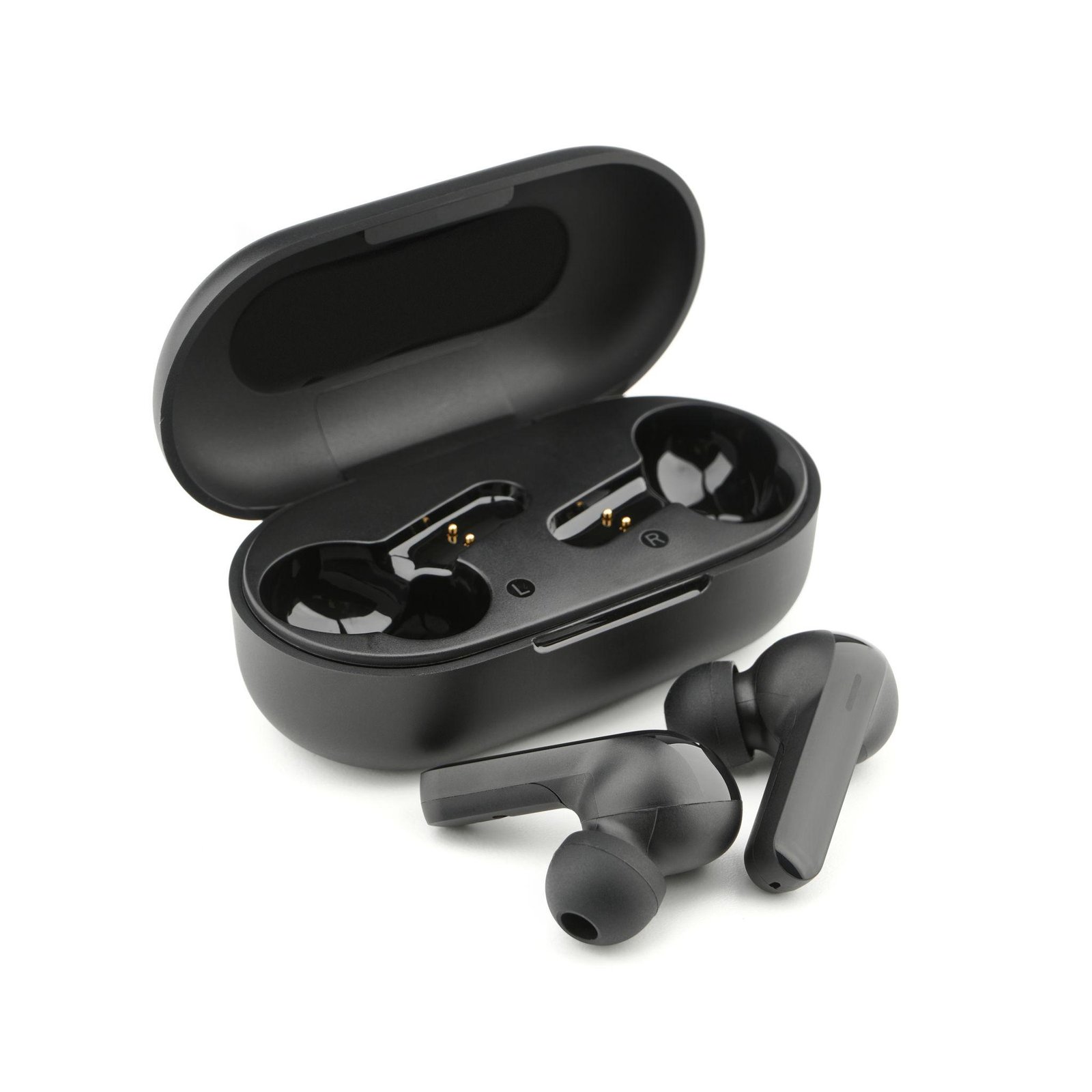
Wireless Earbuds Buying Guide: What to Check Before You Buy 3
Wireless earbuds have become a popular choice for listening to music, attending calls, watching videos, and enjoying entertainment while travelling. With so many options available, choosing the right pair can be confusing.
Some earbuds focus on sound quality, while others offer active noise cancellation, longer battery life, improved microphones, or a comfortable fit. The best option depends on how you plan to use them and how much you want to spend.
At OfferBuzzo, we help shoppers understand product features and compare their options before making a purchase. In this guide, you will learn what to check when choosing wireless earbuds and how to find a pair that suits your everyday needs.
1. Set Your Budget Before Shopping
Start by deciding how much you want to spend on wireless earbuds. You do not necessarily need the most expensive model to enjoy a good listening experience.
Entry-level earbuds may provide essential features for music, calls, and everyday use. Mid-range options may include improved microphones, better battery performance, or noise cancellation. Premium models may offer more advanced audio features, stronger ecosystem integration, and additional customization options.
Features vary by model, so compare specifications rather than relying only on price or product category.
Shopping tip: Decide which features matter most before paying extra for features you may rarely use.
2. Check Sound Quality
Sound quality should be one of your main considerations when choosing wireless earbuds.
Different earbuds can produce different sound profiles. Some emphasize bass, while others offer a more balanced presentation suitable for music, podcasts, and spoken content.
Consider these factors:
-
Bass performance: Important if you enjoy bass-heavy music.
-
Vocal clarity: Helpful for podcasts, audiobooks, and conversations.
-
Treble quality: Affects the clarity of higher-pitched sounds.
-
Audio customization: An equalizer can help you adjust the sound to your preferences.
-
Supported audio features: Check compatibility with the codecs and audio features you actually use.
Remember that advertised audio specifications do not always indicate how earbuds will sound in everyday use.
Shopping tip: Read independent reviews and, where possible, try earbuds before buying. Comfort and personal listening preferences can make a significant difference.
3. Understand Active Noise Cancellation
Active Noise Cancellation (ANC) uses microphones and electronic processing to reduce certain surrounding sounds.
This feature can be helpful when commuting, travelling, working in shared spaces, or listening in noisy environments.
However, ANC performance differs between earbuds. Some models are more effective at reducing steady background noise, while sudden sounds and nearby conversations may remain audible.
ANC versus passive noise isolation
Passive isolation comes from the physical seal created by the ear tips. A good fit can reduce outside noise even without electronic cancellation.
ANC uses technology to reduce additional ambient sound. Some earbuds provide both features.
If you frequently travel or work in noisy environments, compare independent ANC tests rather than relying only on the manufacturer’s claims.
Important: Noise cancellation is not a replacement for awareness of your surroundings. Be careful near roads and other potentially dangerous environments.
4. Consider Battery Life and Charging
Battery life determines how long you can listen before needing to recharge.
When comparing earbuds, look at both the playback time of the earbuds themselves and the additional charges provided by the charging case.
Check the following:
-
Earbud battery life: How long the earbuds operate on one charge.
-
Total battery life: The combined playback time with the charging case.
-
Charging time: How quickly the earbuds and case recharge.
-
Fast charging: Whether a short charging session provides useful playback time.
-
USB-C charging: Check the charging port and cable compatibility.
-
Wireless charging: Determine whether this feature is available if you need it.
Battery estimates may be measured with specific settings and conditions. Using ANC, increasing volume, or making frequent calls can reduce actual playback time.
Shopping tip: Choose earbuds that comfortably cover your usual listening time rather than relying entirely on the maximum advertised battery figure.
5. Check Microphone Quality for Calls
If you frequently attend work meetings, make phone calls, or record voice messages, microphone performance matters.
Some earbuds sound excellent for music but may not perform as well during calls in noisy places.
Before purchasing, look for reviews that evaluate:
-
Voice clarity in quiet environments.
-
Performance in traffic or wind.
-
Background noise reduction.
-
Call quality during online meetings.
-
Microphone consistency when moving outdoors.
The number of microphones alone does not guarantee better call quality. Microphone placement and software processing also affect performance.
Shopping tip: If calls are a priority, listen to microphone samples from independent reviewers before choosing a model.
6. Choose a Comfortable Fit
Comfort is essential because earbuds sit directly in your ears. A model that sounds good but feels uncomfortable may not be suitable for long listening sessions.
Wireless earbuds commonly use different designs.
In-ear earbuds
These use silicone or foam tips that sit inside the ear canal. They can provide a secure fit and useful passive noise isolation when the correct tip size is selected.
Open-fit earbuds
These generally sit at the entrance of the ear rather than sealing the ear canal completely. Some users prefer this design for comfort, although bass response and noise isolation can differ.
Ear-hook designs
Some sports-focused earbuds use hooks to improve stability during movement.
Before buying, consider the shape of your ears, the weight of the earbuds, available tip sizes, and whether you plan to use them while exercising.
Shopping tip: A secure, comfortable fit can improve both the listening experience and passive noise isolation.
7. Check Bluetooth Connectivity and Compatibility
Most wireless earbuds connect through Bluetooth, but compatibility and extra features can differ.
Before purchasing, check:
-
Whether the earbuds support your phone’s operating system.
-
Whether they offer multipoint connectivity for connecting to two devices.
-
Whether they support automatic pairing or quick switching.
-
Whether the companion application is available for your device.
-
Whether the required features work on both Android and iOS.
Some features may only be available on particular devices or within a manufacturer’s ecosystem.
Bluetooth range and connection stability also depend on the surrounding environment, interference, and the connected device.
Shopping tip: Verify compatibility with your smartphone, laptop, or tablet before making a decision.
8. Look at Water and Sweat Resistance
If you plan to use earbuds during workouts, running, or outdoor activities, check their water and sweat resistance.
Many products carry an IP rating that describes protection against dust or water under specified test conditions.
For example, a water-resistance rating does not automatically mean earbuds are suitable for swimming. The permitted exposure depends on the exact rating and manufacturer guidance.
Check the documentation for both the earbuds and charging case, since their protection levels may differ.
Shopping tip: Choose a model intended for your activities and follow the manufacturer’s cleaning and maintenance instructions.
9. Compare Extra Features Carefully
Wireless earbuds may include several additional features that improve convenience.
Touch controls: Allow you to play or pause music, adjust playback, or answer calls.
Wear detection: Can automatically pause audio when an earbud is removed, if supported.
Low-latency mode: May reduce audio delay when watching videos or playing games.
Multipoint connection: Allows supported earbuds to connect to two devices simultaneously.
Find-my-earbuds features: Can help locate misplaced earbuds when the feature and supporting application are available.
Customizable equalizer: Lets you adjust audio according to your preferences.
Transparency mode: Uses microphones to let some outside sound through, making it easier to hear your surroundings without removing the earbuds.
Not everyone needs every feature. Prioritize the ones that improve your daily routine.
10. Check Durability, Warranty, and Replacement Options
Wireless earbuds contain small batteries that gradually lose capacity over time. Battery replacement may also be difficult or unavailable for certain models.
Before buying, consider the product’s build quality, warranty, service availability, and the manufacturer’s support policy.
Check whether replacement ear tips, charging cases, or individual earbuds are available for the model.
Also review the retailer’s return policy and the manufacturer’s warranty exclusions.
Shopping tip: A product with suitable warranty coverage and accessible support may offer better long-term value than a cheaper alternative with limited service options.
11. Compare the Total Purchase Cost
The advertised price is only one part of the buying decision.
When comparing wireless earbuds, consider:
-
The final checkout price.
-
Delivery or additional charges.
-
Warranty coverage.
-
Return and replacement conditions.
-
Included accessories.
-
Seller reliability.
-
Whether essential features require a companion application or subscription.
Compare offers from reputable retailers and check that the model names and specifications match.
Be cautious of unusually low prices, unclear product descriptions, or listings that do not explain warranty coverage.
Shopping tip: Evaluate the overall value instead of choosing a product simply because it advertises the biggest discount.
Wireless Earbuds Buying Checklist
Before purchasing, use this checklist to compare your options.
Sound and noise control
-
Sound quality matches my listening preferences.
-
ANC is available if I need it.
-
The earbuds provide a comfortable fit and useful passive isolation.
-
Call quality is suitable for my needs.
Battery and connectivity
-
Battery life suits my daily routine.
-
Charging options meet my requirements.
-
The earbuds are compatible with my devices.
-
Bluetooth connectivity and any required companion app are supported.
Comfort and durability
-
The design feels suitable for my ears.
-
Water and sweat resistance match my activities.
-
The controls are convenient.
-
Warranty and service options are acceptable.
Purchase decision
-
I compared the complete purchase cost.
-
The seller is reputable.
-
The return policy is clear.
-
The product specifications match the exact model I want.
Frequently Asked Questions
1. Which wireless earbuds are best for everyday use?
The best earbuds depend on your priorities. For everyday use, look for comfortable fit, reliable connectivity, sufficient battery life, clear calls, and sound quality that suits your preferences.
2. Is Active Noise Cancellation necessary?
No. ANC is useful for commuting, travelling, and working in noisy environments, but it is not essential for everyone. If you mostly listen at home in quiet surroundings, you may prefer to prioritize comfort, sound quality, and battery life.
3. How long should wireless earbuds last on a single charge?
Playback time varies by model, volume, ANC settings, and usage. Compare the manufacturer’s estimates with independent tests, and check both the earbuds’ individual battery life and the charging case’s additional capacity.
4. Are wireless earbuds suitable for gaming?
They can be suitable for casual gaming, but audio latency varies. Look for low-latency features and reviews that test performance with your intended devices and games.
5. Can I use wireless earbuds with both Android and iPhone?
Many Bluetooth earbuds work with both platforms for basic audio and calls. However, companion applications, advanced audio features, automatic switching, and other functions may vary by device and operating system.
6. Are water-resistant earbuds safe for swimming?
Not necessarily. Sweat resistance and protection against splashes do not automatically make earbuds suitable for swimming. Check the exact IP rating and the manufacturer’s instructions before exposing them to water.
7. How do I maintain wireless earbuds?
Clean them according to the manufacturer’s instructions, keep charging contacts free of dirt, store them in their case, and avoid exposing them to excessive heat or moisture. Do not use liquids or cleaning tools that could damage the device.
8. How can I find a good deal on wireless earbuds?
Compare specifications, final prices, warranty conditions, and seller reliability across reputable retailers. Check whether the discount is genuine and whether the model includes the features you need before making a purchase.
Conclusion
Choosing the right wireless earbuds becomes easier when you focus on the features that matter most to your lifestyle. Sound quality, comfort, battery life, microphone performance, noise cancellation, connectivity, and durability all influence the overall experience.
Start with your budget, shortlist suitable models, read independent reviews, and check the warranty and return policy before buying. Avoid paying extra for features you do not need, and prioritize a reliable listening experience over impressive marketing claims.
At OfferBuzzo, our aim is to help you discover useful products and make informed shopping decisions through practical buying guides and clear product information.
Use this guide to evaluate your options and choose wireless earbuds that fit your needs.
Note: Features, specifications, availability, and warranty conditions vary by model and manufacturer. Verify current information with the manufacturer or retailer before purchasing.

Lorem ipsum dolor sit amet, consectetur adipiscing elit. Sed ut perspiciatis unde omnis iste natus error sit voluptatem accusantium doloremque laudantium.
Cras nec mauris auctor, posuere sapien eget, fermentum arcu. Nullam hendrerit neque eu ligula tincidunt, ac consequat mi suscipit.
Praesent ullamcorper risus ut justo vehicula, vel convallis nisi lobortis. Nam ultricies libero eget lectus rhoncus consequat.